
MQL By Request #3 – Building an EA framework part 3 (final)
This part of the MQL By Request series completes the initial framework by adding support for indicators and trade functions. Part 1 built the EA template and the expert class which take care of managing the expert. Part 2 added trade signals. Part 3 completes the framework ready for use.…
MQL By Request #2 – Building an EA framework part 2
The framework started in part 1 is missing 2 critical elements, signals and a trade handler. Part 2 adds the signal base classes to the framework explaining how the framework will ultimately operate by plugging components rather than complex branching logic. The latest version framework including base classes is available…
MQL By Request – Building an EA framework part 1
This is the first in a series of articles answering your requests. I’m starting by building a common expert advisor framework to use when answering your questions. Come back for parts 2 and 3 as I finish building the framework before moving on to answer questions. If you have requests…
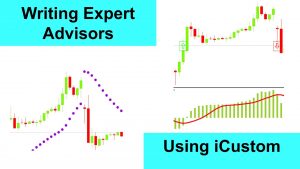
Using iCustom to write Expert Advisors
As a follow up to an earlier article on using iCustom this article explains iCustom in more detail using more complex examples. While iCustom may not be the most efficient function it can be very useful in a first cut creation of an expert advisor or where you don’t have…
How to Calculate Lot Sizes and Risk Pricing with MQL4 and MQL5
If you are trading with a risk management approach then you need to calculate the amount you are prepared to risk and from that the lot size to trade if you have a fixed stop loss or the stop loss price if you want to fix lot sizes. The calculations…
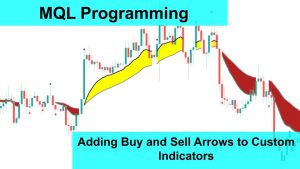
Add Buy and Sell Arrows to your MT4 or MT5 custom indicator
If you have a custom indicator and a strategy for buy and sell this video will show you how to add buy and sell arrows to your custom indicator for both MT4 and MT5. The video uses a tripple moving average ribbon from earlier tutorials as the basis and adds…

How to monitor your MT5 and MT4 without connecting to your VPS
This is an update to the earlier article about developing telemetry components for MT4 and updates the code to work with both MT5 and MT4. Use the telemetry class to capture information from your EA and monitor the health and performance remotely. The original MT4 article is here.
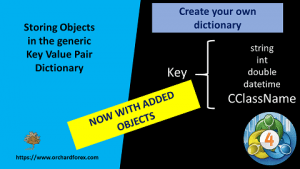
MQL4 Programming – storing objects in a key value pair
In the previous video I used a key value pair to store values in a dictionary. In this video I expand the capability of that key value pair to also store objects of any type. See the previous video here. All downloads in this series
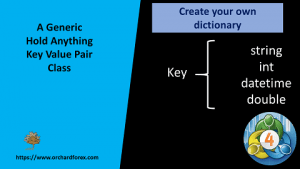
Programming a multi purpose key value pair for MQL4
This video takes the Key Value pair class created in the earlier video on telemetry and enhances the functionality to be more generic and able to store additional data types without extensive rework. See the earlier article which builds the initial KVP class here All downloads in this series
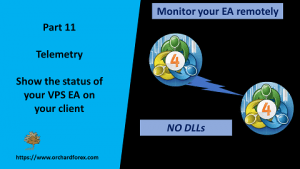
Writing telemetry for MT4 to remotely monitor your EA running on a VPS
In this video I show how to create a telemetry class and set up your VPS so that your client computer can monitor your remote EA without needing to log onto the VPS MQL4 OOP – Telemetry classes to monitor your VPS remotely